



How Does DLP Work?




Anexet DLP policies managed by Admin



1. Data Monitoring
The DLP system analyzes and tracks data transfer within the corporate network and through external access points, such as email, cloud services, USB devices, and other means of data transfer.2. Data Analysis
DLP categorizes data according to specified security rules and criteria. For example, confidential documents can be labeled as highly confidential, and the system will monitor their transmission and use.3. Threat and Breach Detection
The system uses multiple methods to detect potential threats. If a data leak or security breach occurs, the DLP system takes action to stop the transfer through measures such as blocking, encryption, and real-time alerts.Anexet Data Loss Protection
Download now
Download the presentation now
Data Protection and Leak Prevention
The system monitors how confidential information is handled, moved, stored, and taken outside the company perimeter
- Monitor data transfers across every channel, including messengers, email, and cloud storage
- Detect data leaks through external devices. If data is copied or transferred through one, you get an instant alert
- Create policy rules. Configure the system to protect exactly the data that matters to you
- Manage risk. Identify high-risk employees and capture their actions at the workstation


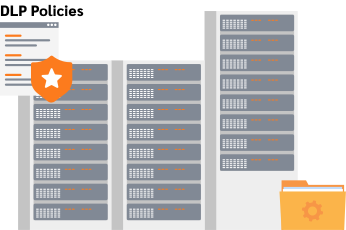
Anexet Servers
 Blocking the transfer of confidential information

The Fight Against Corruption
Anexet monitors employee communication so you can spot conflicts of interest, blackmail, bribery, and other forms of corporate fraud
- Monitor communication chains. Track every corporate communication channel to surface potential threats
- Spot disengaged employees who are job hunting or reaching out to third parties
- Find unusual connections and behavior patterns in employee communication
- Detect insiders. Grant access to sensitive data only to the employees who need it

 The fact of corruption
Anexet Servers

Company Security Officer
Employee communication analysis Corruption detection
Investigation of Incidents
Anexet records every employee action, so you can reconstruct what happened after the fact, run an investigation, and identify everyone involved
- Organize how information is handled throughout a security incident investigation
- When an incident occurs, the system helps you trace where the breach began and find those responsible
- Create reports. Pinpoint the root cause and security gaps, then take preventive action
- Use reports in court. Should a case go to trial, your company can rely on objective investigation data
Anexet DLP


Company Security Officer
Referral of the case to the court
Control of Employees’ Working Hours
Track employee activity, including time spent working, the tasks they perform, and how they use company computer resources
- See how employees spend their working hours: what they do at their workstation and which websites they visit
- Capture screenshots from employee monitors. Set event triggers, such as launching an application or transferring an archive
- Record audio from the microphone and video from the webcam
- Visualize connections between employees. Track communication chains and conversation topics





Anexet Servers


Management
Document Control on Devices
Identify documents that are stored in violation of your organization's security policy
- Prevent forgery. If someone attempts to falsify a document, your security officer is notified
- Read images and audio. The system converts images and voice messages into text
- Detect specific words, phrases, and word combinations. This helps you catch malicious intent early
- Track document transfers. If an employee tries to send or alter a document, the system blocks the action



 Confidential
Anexet Servers


 Confidential
Company Security Officer
The system controls how confidential information is handled
- Monitor data transfers across every channel, including messengers, email, and cloud storage. This gives you strong protection for sensitive documents such as company budgets, revenue and sales figures, competitive strategy, and customer lists that are of particular interest to competitors. If one of these documents is sent to a third party through any channel, you can track it instantly
- Detect data leaks through external devices. If data is copied or transferred through one, you get an alert. It isn't only documents that are at risk of leaking. Databases, technical and engineering work, drawings, patented inventions, and other intellectual property are exposed too. To keep this kind of information from reaching unauthorized external devices such as flash drives and disks, the system raises alerts and assigns files a special status
- Create policy rules. Configure the system to protect exactly the data you need to. Every business requires a different level of protection depending on its size and line of work. Building your own security rules lets you protect specific layers of data and trigger responses only for the incidents that pose a real threat to the company and its people
- Manage risk. Identify high-risk employees and capture their actions at the workstation. Most leaks happen because of an employee, whether the action was deliberate or accidental. Monitoring employee activity shows you what a given person is doing right now, who they communicate with inside and outside the company, and who they share internal information with
Under the hood, content matching goes beyond an exact hash of a file. Anexet builds a digital fingerprint of each reference document and can flag a match even when only part of it was copied, an excerpt was pasted elsewhere, or the wording was changed — the kind of edited leak that plain hash-based tools miss.
For financial data specifically, the system runs a dedicated bank-card-number check that validates candidates against the Luhn algorithm and known payment-system ranges, cutting down false positives on numbers that merely look like a card.
The software detects corporate fraud
- Monitor communication chains. Track every corporate communication channel to surface potential threats. The system can present communication between employees as graphs, diagrams, and other visual elements. When there is a security risk, these visuals clearly show who an employee talked to, make it easier to contain the incident, and help you identify the source of the threat
- Spot disengaged employees who are job hunting or reaching out to third parties. Different departments need different programs, apps, and services. For the HR team, browsing job boards is part of the daily routine; for anyone else, spending too much time on recruiting sites may signal an intent to leave. The system reveals this kind of unusual behavior so you can act on it
- Find unusual connections and behavior patterns in employee communication. Accountants, lawyers, and finance staff who have access to the company's financial documents are entitled to work with them and update them. But if a sales manager or a support specialist suddenly accesses those same documents, it may point to dishonest intent. The DLP system lets you monitor incidents like this and set response rules
- Detect insiders. Grant access to sensitive data only to the employees who need it. Insiders are hard to guard against. Without a data security system, employees who hold a grudge, or who feel they were unfairly fired or demoted, can become a serious threat to the business. Even a loyal employee can leak confidential information. The DLP system helps you define each employee's access rights to sensitive data, so only authorized users can edit, copy, or transfer documents
Beyond a plain communication log, a security officer can build a user relations graph for a person or a group over a chosen period. Users, devices, and resources become nodes, connections between them are color-coded by severity, and a common-relations view can trace go-betweens through up to five levels of intermediaries — useful for tracing who introduced whom in a suspected collusion case.
Anexet also supports statistical security rules that watch for frequency, not just content: an alert can fire when a user sends an unusually high number of messenger messages within an hour, for example, flagging abnormal behavior even when no single message breaks a content rule.
The software is built to investigate information security incidents
- Organize how information is handled throughout a security incident investigation
- When an incident occurs, the system helps you trace where the breach began and find those responsible. If a security incident does happen, the DLP system shows you exactly how it unfolded and what led to it. If attackers reached the company's internal network, for example, the system reveals what let them in, whether that was a careless employee, a flaw in the security setup, or a deliberate leak of passwords and access credentials
- Create reports. Pinpoint the root cause and security gaps, then take preventive action. Reports from the DLP system show you who interacts with sensitive information and how, and let you visualize those interactions. You can generate reports across a wide range of parameters
- Use reports in court. Should a case go to trial, your company can rely on objective investigation data. The DLP system delivers a complete, objective report on the incident. If a company operates under a trade-secret or restricted-access regime, the DLP system becomes a legal tool that helps protect its information security by monitoring employee actions. These reports can serve as solid evidence against a dishonest employee if the matter reaches court
Investigations in Anexet are a shared workspace, not a single-user case file: several security officers can work the same investigation on the same Central Server at once, with each person's changes visible to the others in real time and their own interface settings kept separate. That removes the usual desktop-console problem of a case being locked open by whoever opened it first.
The software is built to track employee work activity
- Track productivity. See how employees spend their working hours: what they do at their workstation and which websites they visit. Unproductive use of work time does more than hurt the company's bottom line. Heavy web surfing can have unintended consequences, from clicking phishing links to accidentally leaking important data. The DLP system records employee actions, helping you identify idle time and wasted hours
- Capture screenshots from employee monitors. Set event triggers, such as launching an application or transferring an archive. Security policies in Anexet DLP let you define trigger actions, including installing and launching third-party applications, visiting specific sites, and copying or transferring files
- Record audio from the microphone and video from the webcam. The DLP system lets you capture screenshots of an employee's desktop and record audio and video. Your security officer or other authorized staff can do this on any computer that has the agent installed
- Visualize connections between employees. Track communication chains and conversation topics. Anexet DLP can monitor a wide range of messengers and email services, letting you follow employee communication across the company by setting keywords and phrases in the system
Voice communications over Lync, SIP, and Viber are transcribed by a built-in speech-recognition engine by default, so reviewing what was said doesn't depend on a security officer listening to every recording. Cloud speech services can be connected as an option where you prefer them.
The software monitors workflows and records every violation
- Prevent forgery. If someone attempts to falsify a document, your security officer is notified. Creating a fake document from scratch, entering false data, and forging signatures and seals are corporate offenses committed to hide a mistake or poor results, or for personal gain. If an employee tries to change a document, the system immediately alerts the responsible staff about the incident
- Read images and audio. The system converts images and voice messages into text
- Detect specific words, phrases, and word combinations. This helps you catch malicious intent early. To review employee communication quickly and effectively, Anexet DLP lets you set keywords and phrases to search correspondence across any messenger the system supports
- Track document transfers. If an employee tries to send or alter a document, the system blocks the action
Keyword search is resilient to the usual ways employees try to dodge it: fuzzy matching catches typos and OCR errors, transliterated text is matched against its native-script equivalent, and word-proximity search finds phrases even when the words were deliberately spaced apart in the message.