Categories
How to protect your data on social networks: practical tips
 23
23 10 min
Social networks have become a part of our lives and do not want to let go. We can't imagine ourselves without communicating in social networks, but consciously or not, social networks contain a lot of our personal confidential information, which can become an object of desire of fraudsters in the network. Today let's explore together with Anexet analysts the topic of protecting your data in social networks.
Statistics
First, let's discuss some statistics. How social media is still important or not important in humanity's life? As of 2025, more than 4.5 billion people, or over 57% of the world's population, use social media.
The most popular social network in the world is Facebook. Instagram, X (Twitter), Whatsapp and Tiktok are also in the top five. By the way, Facebook alone generates approximately 25% of the world's Internet traffic.
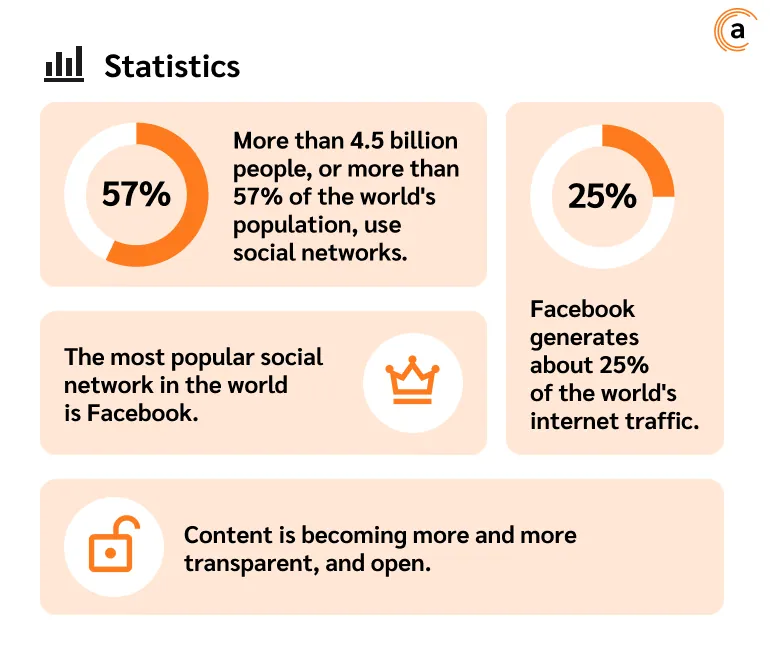
The pursuit of approval, irrepressible curiosity and "living in the open" have negative impact on personal Information Security, among other things. After all, published content is becoming more and more transparent, open, and characterised by individuality. This can be exploited by fraudsters.
What Personal Data on social media affects your security?
Strange as it may seem, it is the effect of social networks that reduces our attentiveness and wariness and makes us more open and naive. Thus, we are more willing to share personal information that can both characterise us as individuals and tell us about possible social and material status.
What seemingly innocuous information posted on your accounts could be used by scammers?
-
photos, especially actual ones from holidays, can serve as confirmation that you're not home at the moment;
-
publicity about expensive purchases and luxury goods can orientate scammers about your financial capabilities;
-
geolocation will reveal your location in the particular place;
-
Personal Data, e-mail, mobile number, address, etc. will not only provide massive attack with spam adverts, but can also be used in phishing or financial fraud.
In addition to these data, there are types of content that can be subject to administrative or even criminal liability for posting. This type of content includes:
-
publication of fakes (knowingly false information) may result in administrative fine or, depending on the severity of the consequences of publication, criminal punishment and imprisonment for the author;
-
information that is extremist, terrorist in nature or offends the feelings of people of faith. Such information is aimed at inciting hatred and enmity towards different groups of people, infringement of rights on racial, national, religious principles, humiliation of human dignity;
-
content insulting people (any information defaming honour and dignity) may result in administrative liability, fine and possibility of paying moral compensation to a person;
-
content insulting representatives of the authorities (in relation to officials, police and tax officials, bailiffs) may result in fines;
-
content that discredits the army and undermines the authority of the armed forces;
-
information about private life of others and their Personal Data;
-
illegal content;
-
defamation;
-
content that violates copyright;
-
content that violates the rules of individual sites.
Top threats of information on social networks
Phishing. Fake sites or links that look like legitimate pages and applications can be accessed. Users enter their logins, passwords or other data thinking they are on a real site, thus providing them to fraudsters.
Example: in 2016, there was a large phishing attack via Google Docs where users received an email inviting them to open a document. Once they clicked on the link, they entered their data on a fake website, which led to the theft of their Google accounts.
Malware and viruses. Attackers spread malware through links and attachments in messages or posts. Users infect their devices by opening such links or files.
Example: in 2017, a virus called Locky was spread via Facebook. Users received a message with a link to an infected file, after opening which their computers were encrypted, followed by ransom demand to decrypt the data.
Social engineering: studying users' social media profiles to learn personal details that can be used for deception and manipulation.
Case in point: in 2018, hackers used LinkedIn profile information to send personalised phishing emails to employees of companies disguised as their colleagues or partners.
Account hijacking: a situation in which attackers gain access to social media user accounts by cracking passwords or using stolen data.
Case in point: in 2020, there was a massive hack of Twitter accounts of celebrities such as Ilon Musk, Jeff Bezos, Barack Obama and others to promote cryptocurrency fraud.
Data privacy: social networks may not protect user data well, leading to information leakage.
Example: the Cambridge Analytica scandal in 2018, when the data of millions of Facebook users was improperly used for political targeting.
Cyberbullying and stalking, in which abusers use social media to threaten, insult and harass their victims, which can lead to severe psychological consequences and even suicide.
Fake news and disinformation in which false information about events or personalities is spread to mislead people.
Profiling and tracking, where companies or attackers collect data on user behaviour to create detailed profiles and use that data for targeting.
Case in point: in 2019, it was discovered that many Android and iOS apps were collecting users' location data and selling it without consent.
Targeted advertising and marketing or using user data to create targeted advertising, which may violate the privacy of that data.
Example: Facebook uses user activity data to show personalised advertising, which sometimes causes resentment due to invasion of privacy.
Catfishing and scamming. It is the process of creating fake profiles in order to defraud, trick people out of money or valuable information.
Example: popular scheme is to create fake profiles on dating sites to gain the trust of victims and defraud them of large sums of money.
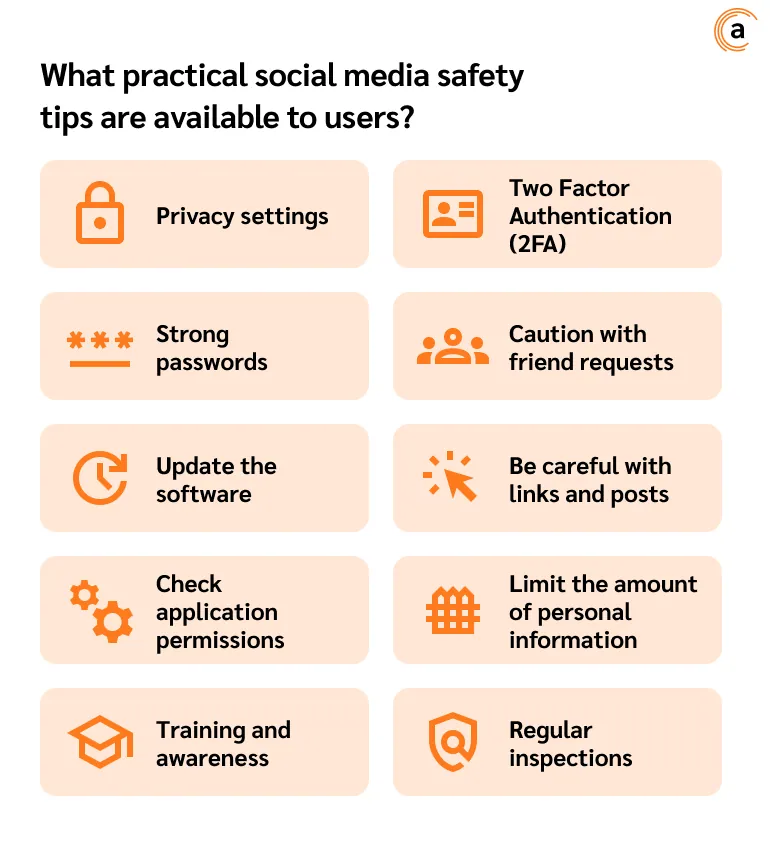
What practical social media safety tips are available to users?
Privacy settings
Check and adjust the privacy settings on all your social networks. Make sure only friends can see your posts and profile information. Turn off the ability for strangers to view your profile.
Strong passwords
Use complex and unique passwords for each social network. Each password should contain the combination of letters, numbers and symbols. It is recommended to use password manager to create and store complex passwords.
Two Factor Authentication (2FA)
Enable Two-Factor Authentication for additional protection. This can be a code sent to your phone or an authentication app. Even if someone finds out your password, they won't be able to log in to your account without the second factor.
Caution with friend requests
Only accept friend requests from people you know personally. Attackers can create fake profiles to gain access to your information.
Be careful with links and posts
Do not click on suspicious links or open unexpected attachments. Even if the message came from a friend, check with them first to make sure they actually sent the link or file.
Limit the amount of personal information
Do not publish too much personal information. Avoid posting your address, phone number, location information or other data that could be used to identify or track you.
Update the software
Update your operating system and applications regularly. Updates often include security patches that protect against new threats.
Check application permissions
Applications you install may request access to your information. Check what data they request access to and only give it to applications you trust.
Training and awareness
Stay up-to-date on the latest threats and defences. Read cybersecurity news and educate yourself and your family on the basics of safe online behaviour.
Regular inspections
Periodically check your social media activity. Review activity logs and devices that access your account and immediately disable suspicious sessions.
Additional tips:
-
phishing — always check the URL of websites before entering your details;
-
antivirus — install and regularly update antivirus software;
-
backups — back up important data in case you lose access to your account.